
First you'll want to scroll all the way down to the bottom of the blog post you're viewing (but don't skip to the next set of photos from another session) and find my signature (the pink heart next to the text "Wendhy"). Right underneath it you will find the word COMMENTS, click on it. Here is an example of what I am talking about:
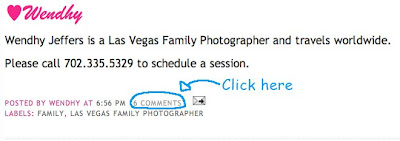
Once you click on COMMENTS it will take you to this screen: (now just do the following steps)


 When you're done typing your comment, you click on POST COMMENT. The message doesn't automatically appear, it goes through the comment moderation and usually posts later that day. I hope this makes sense, if anyone still has a question about how to leave a comment, please email me at wendhyjeffers@gmail.com


 Posts


